What's New in 26.12 - EEforce
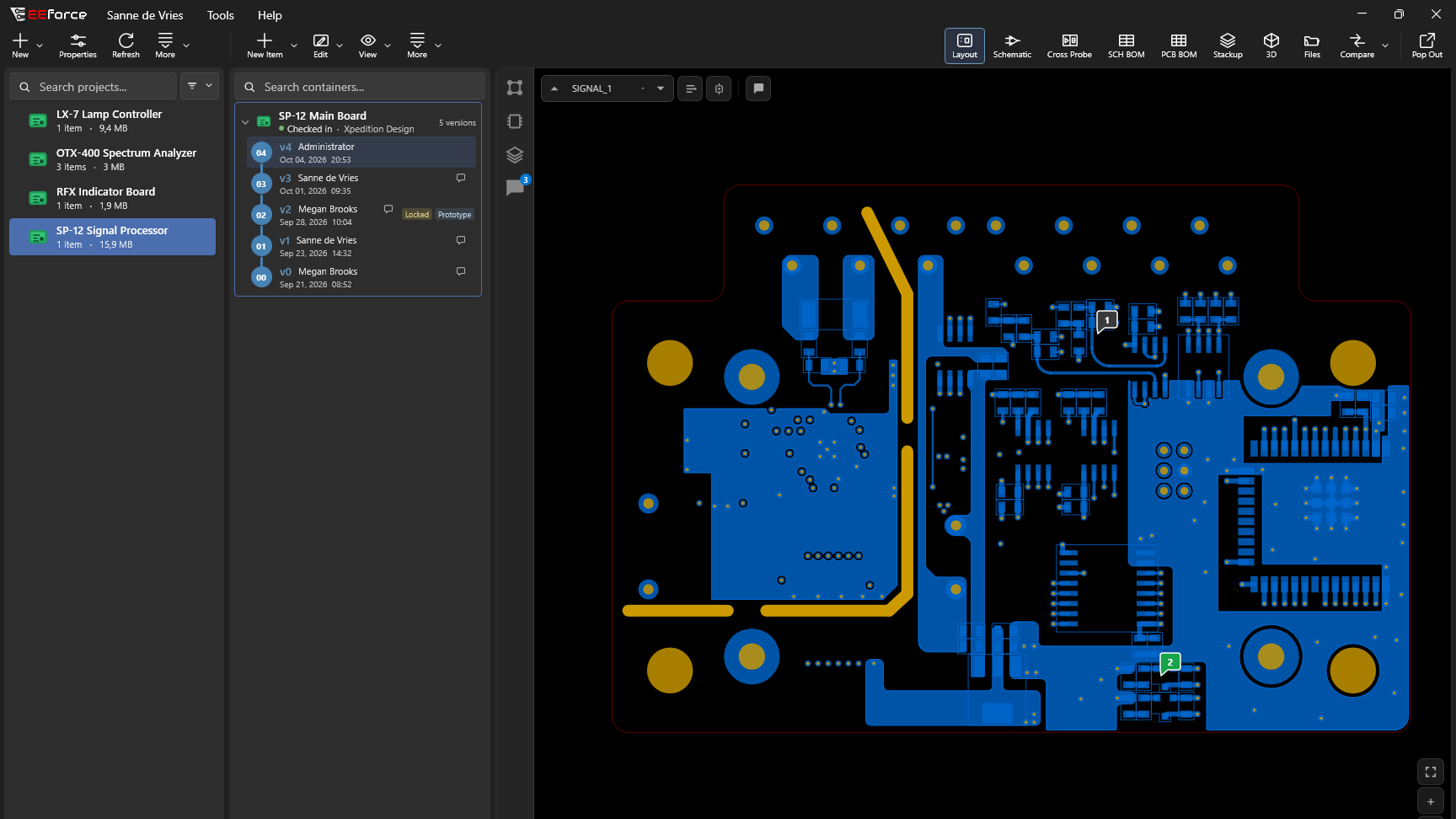
EEforce 26.12 puts high-fidelity vector previews and collaboration on the design at the centre of the review. Inspect the details, pin a comment or sketch to the board, and work through the conversation with your team in context. A redesigned desktop app brings the workflow together, and EEforce 365 brings the same viewer and conversations to your web browser.
A short overview of the release highlights:
- High-fidelity vector previews
The new viewer renders layouts and schematics as high-fidelity vector previews, keeping design detail clear as you zoom in. Highlight a net or component and cross-probe between schematic and layout, without opening a design tool. PCB and schematic BOMs, the board's specification and 3D also open in the same viewer. The 3D view shows component placement, the board outline and the stack-up without any external viewer installed - Assembly Assistant
The Assembly Assistant puts the BOM beside the 3D board, for hand assembly and first-article inspection: pick a line and the board turns to its side and zooms to its parts, with everything else greyed out. Group by part number, choose the side and the variant, and step through with the keyboard. Assembly sessions keep track of what has been placed — done or skipped, part by part — on the server, so a board can be built over several days, from any computer, with the whole team seeing the progress. - Review designs together
Pin a comment on the layout, schematic or 3D model, or on a part in a BOM; call out an area, add a sketch, and discuss it in a thread right on the board. Replies can carry their own sketches and areas. Comments belong to the design, and a comment made on another version says so. They can be filtered and resolved, and appear for everyone as soon as they are posted. Anyone who can view a project can comment and reply, including Viewers; resolving needs the Contributor role. - Redesigned desktop app
The EEforce app has been rebuilt on a modern user interface. The window layout, icons and toolbar are new, and the project list shows the state of every design at a glance. - The EEforce Companion in Xpedition and PADS Professional
Every editor EEforce opens now carries the EEforce Companion, a small toolbar on the editor's title bar. It replaces the EEforce menu entries and editor scripts of earlier versions, so nothing has to be installed in the design tools. - And much more.
The complete overview can be found here.
And for more information feel free to contact us.
The Polarion Advent Calendar 2024 started the first of December and will bring each day valuable Polarion insights, tips and user cases.
New Release PADS VX.2.14PADS Professional VX.2.8 focuses on enhancements to the core technology, many of which have been suggested by you through Mentor Ideas.