BluePrint-PCB key features and capabilities
-
Supported Data imports
Import your PCB design directly from Xpedition, PADS Professional or other Siemens tools via a fully automated interface. BluePrint-PCB also accepts imports from other PCB systems via industry standard file formats including ODB++, IPC-2581 and PADS ASCII. Augment your documentation with data imported in DXF, PDF, CSV, ODBC, JPEG, AVI or many other formats.
-
Customize drawing elements
Fully user customizable elements
No PCB documentation set is the same. BluePrint-PCB supports user customization of drill symbols, drill tables, dimensions, note blocks, call outs, parts lists, title blocks, sheet borders and many other elements. Customization can be propagated across multiple users to ensure a common documentation profile throughout an organization. In addition, the user interface can be customized to create a custom look and feel.BluePrint-PCB reference designator labels
Create custom assembly and other PCB views with reference designator labels added for use exclusively in BluePrint-PCB. Labels can be automatically located over parts or placed individually. Each reference designator label can be formatted independently of others and displayed with customized leader lines.Intelligent drawing elements
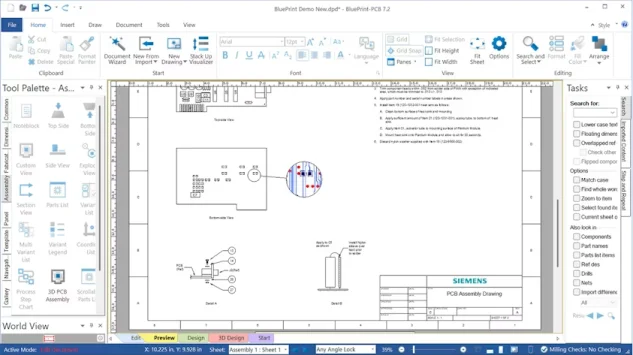
Many common PCB documentation elements such as title blocks, note blocks, call outs, drill charts, parts lists and so on are fully intelligent. When dragged and dropped onto a sheet from the many tool palettes, their content is immediately populated with relevant details from the design data. Add a parts list and it’s populated with part details from all parts in a design. Add a layer stackup and it is populated with layer names, layer order, layer thickness and other layer properties. -
Simple drag and drop document creation
Drawing element palettes
Add drawing content easily with drag and drop onto a sheet from a collection of drawing element palettes. Palettes are organized by drawing types to make location and selection of elements quicker. Many drawing elements can be customized to your drawing standards and have alternate presentations.Unlimited views of the PCB
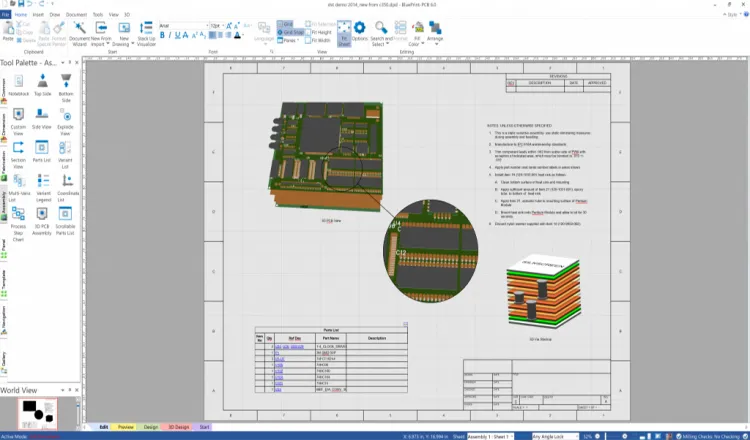
Create views of an imported PCB design without limits: Top Side Assembly, Bottom Side Assembly, Side View, Section View, Inner Layers, Drill Pattern, Board Outline, 3D View or any custom combination of layer and layer data. Each PCB view may be scaled or formatted independently of other PCB views. -
PCB stackup design and visualization
Use Stackup Visualizer to design, view or modify a PCB stack up in multiple visualization modes including tablature, cross section and 3D. Drag and drop layers to interactively change layer order. Assign construction materials and set attributes such as layer thickness or dielectric constant. Interactively define and view drill spans and via technologies including backdrills. Use export and import functions to exchange stack up design details with a manufacturer and update the stackup with material or other changes.
-
Enhanced documentation
Geometric dimensioning and tolerance support
BluePrint-PCB offers full support for geometric dimension and tolerance references.3D views of the PCB
Enhance your documentation with 3 dimensional views of a PCB. Each 3D view can be formatted independently with different camera views. Layer and color visibility. Add additional content to the view such as callouts and graphic elements.Export to 3D PDF
Users can export a documentation set to Adobe 3D PDF. Adobe PDF viewers offer the ability to interact with the 3D documentation through camera changes, pan and zoom on PCB views, scrolling parts lists and scrolling note blocks. -
Create e-documents or web-based document viewing
Publish to web
Create an HTML based documentation package for unlimited viewing when posted to a web page and viewed with ActiveX enabled web browsers such as Microsoft’s Internet Explorer.Package and release
Compile a collection of drawings, or the entire documentation set into a distribution ready compressed, self-extracting file that includes the BluePrint-PCB documentation viewer. Optionally, restrict the number of days available for viewing from the release package.