
Widget for Polarion

We all try to improve Polarion and make the best out of new features or implement new widgets. But to keep a consistent configuration for all projects becomes problematic. Every admin knows how it is to work an a template and wanting to roll that configuration out to running projects. Or working on a test server where you create and test your all your templates and wanting to roll that out to a production server. If you are looking for a solution for this, we have the answer!
want to know more about polarion configurations?

preamble

We all try to improve Polarion and make the best out of new features or implement new widgets. But to keep a consistent configuration for all projects becomes problematic. Every admin knows how it is to work an a template and wanting to roll that configuration out to running projects. Or working on a test server where you create and test your all your templates and wanting to roll that out to a production server. If you are looking for a solution for this, we have the answer!
For whom this could be interesting

  • Polarion Administrators
  • Project Managers that are responsible for the project configuration

Pre-requisites

We are using some standard programs so we didn’t have to invent everything new, what now also requirers you to have (or something similar with an update of the script)

  • SVN Access of Polarion
  • TortoiseSVN installed
  • Beyond Compare installed

Basic workflow description

We have a stand alone script that helps you guide through these simple steps.


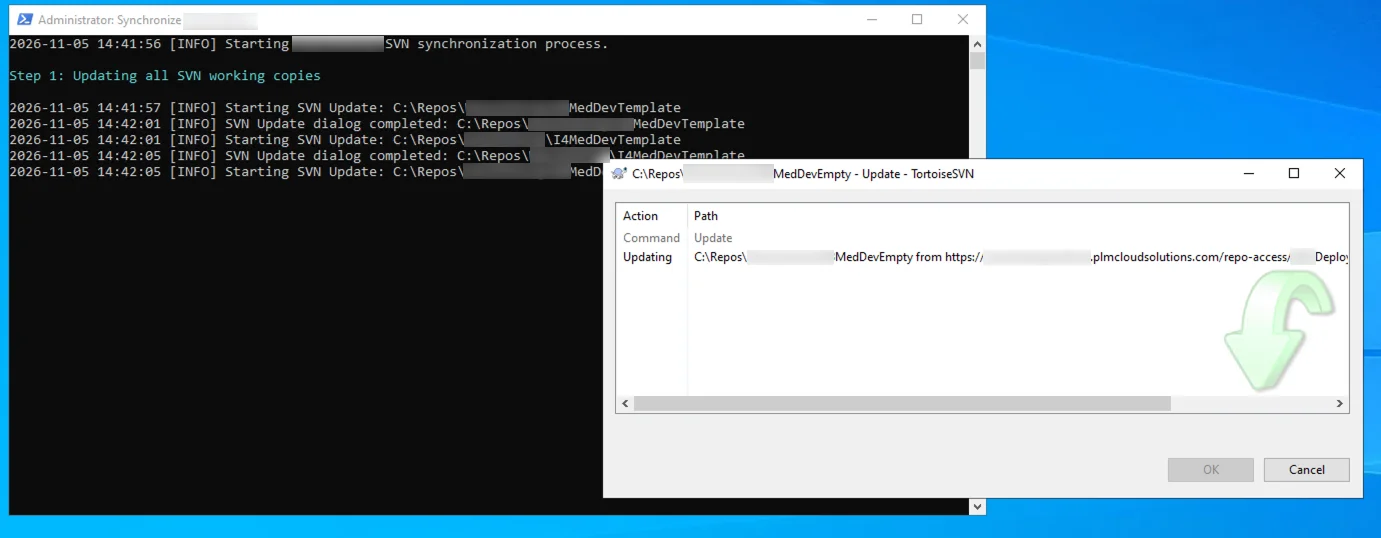
With the use of TortoiseSVN, we download the new configured project automatically and all the projects you would like to update to your local drive

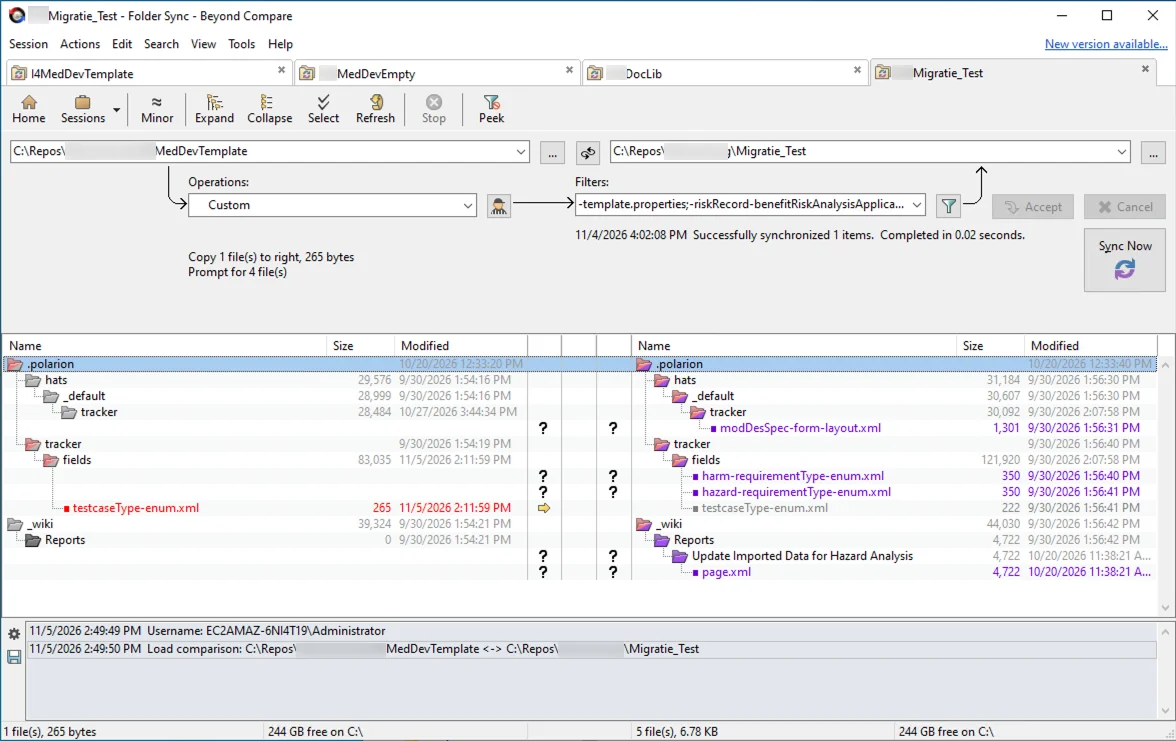
With Beyond Compare, we compare the content of the projects and copy the new configuration as you desire

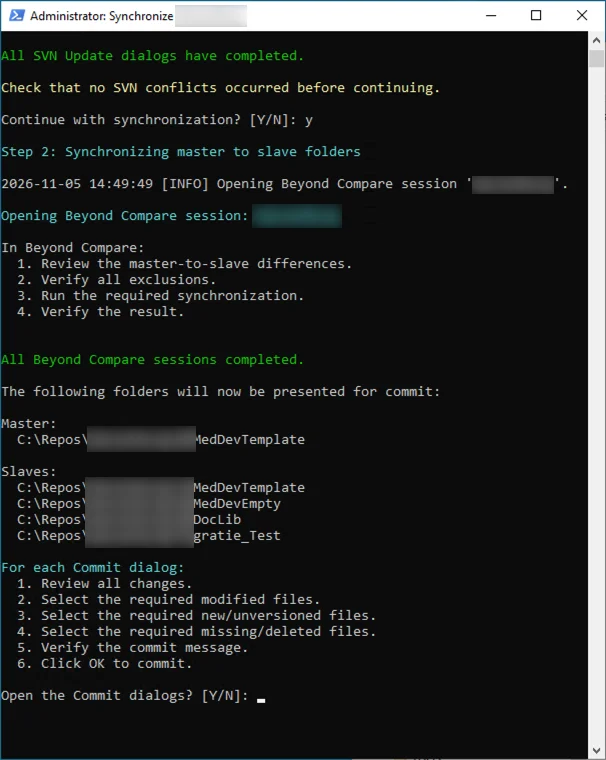
Use the script for potential changes:


Once you have updated the configuration as you wish, you can upload the updated projects back to the Polarion SVN from this script. And the configuration of all projects are set as desired.

afterword

We have created this script and workflow when helping a customer with their configuration. We performed a lot of tests on our own server and a few test projects where the customer was trying and testing and a full test project with customer requirements for their developers. This meant we had a lot of different configurations that we had to maintain and keep consistent. So to prevent us to keep checking everything manually, we created a small script to help out. We are using it for some time now without any problems. 

I want to know more about Polarion configurations

Fields with * are required